Apple M3 vs M5: The Full Chip Comparison for Developers
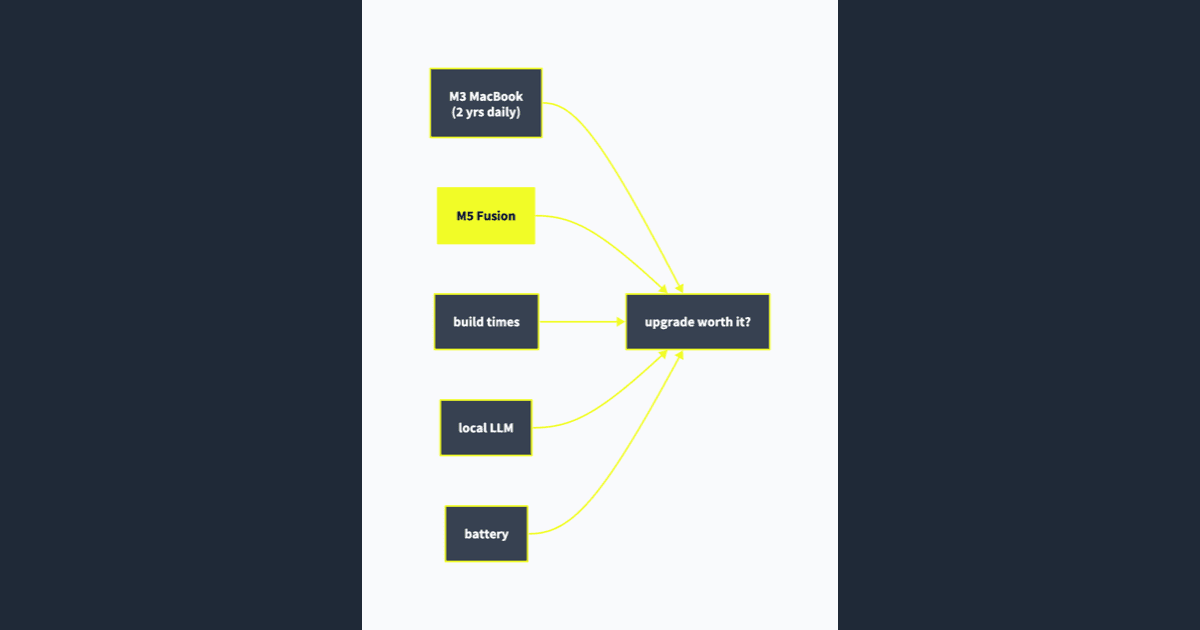
I have been daily driving an M3 MacBook Air for about two years now. It has been a rock solid machine for web development, running local dev servers, and even some light Docker work. Now that Apple released the M5 — and more recently the M5 Pro and M5 Max — the question is simple: is the jump worth it?
This is not just a spec sheet comparison. I am looking at this from a developer perspective — build times, Docker performance, local LLM inference, memory pressure, and battery life during real work. But I also want to cover what actually changed inside these chips, because the M5 generation is architecturally the most interesting Apple Silicon update since the original M1.
What Actually Changed in the M5
Before we get to benchmarks, it makes sense to understand what Apple actually did under the hood. The M5 is not just "M4 but faster." There are real architectural shifts here.
Fusion Architecture
This is the headline change for the Pro and Max chips. Previously, Apple only used multi-die packaging for the Ultra tier (literally gluing two Max dies together). With the M5 Pro and M5 Max, Apple brought chiplet design down to the mainstream pro lineup. They call it "Fusion Architecture."
Why does this matter? It means Apple can mix and match different chiplets — CPU clusters, GPU blocks, memory controllers — instead of designing one monolithic die for each tier. In practice, this gives them more flexibility to scale performance without the yield problems that come with massive single dies.
For developers, the immediate benefit is that the M5 Pro and Max pack significantly more cores and bandwidth into the same thermal envelope.
Three-Tier CPU Cores
The base M5 still uses the traditional two-tier setup: 4 performance cores and 6 efficiency cores. But the M5 Pro and Max introduce a third tier:
- Super cores — optimized for peak single-threaded speed. These are the new top-tier cores, exclusive to Pro and Max.
- Performance cores — tuned for multi-threaded throughput. Think sustained parallel workloads.
- Efficiency cores — for background tasks. Interestingly, the M5 Pro and Max dropped efficiency cores entirely and only use super + performance.
The result? The M5 Max with its 6 super cores and 12 performance cores absolutely demolishes multi-threaded workloads. Its Geekbench 6 multi-core score of ~29,233 beats the M3 Ultra (which had 32 cores) despite having only 18 cores total.
Neural Engine on Steroids
This one is wild. The M3's Neural Engine was rated at about 18 TOPS (trillion operations per second). The M5? Roughly 133 TOPS. That is a 7.4x increase in raw AI throughput.
On top of that, Apple embedded neural accelerators directly inside each GPU core. So AI workloads are not bottlenecked through the Neural Engine alone — they can be distributed across the entire GPU. Apple claims over 4x peak GPU compute for AI compared to the M4 generation.
If you are running local models, doing ML training, or working with any kind of on-device inference, this is the single biggest generational leap Apple has made.
Specs at a Glance
Here is how the full chip lineup compares across generations.
Base Chips
| Spec | M3 | M5 |
|---|---|---|
| CPU Cores | 8 (4P + 4E) | 10 (4P + 6E) |
| GPU Cores | 8 or 10 | 8 or 10 |
| Neural Engine | 16-core (~18 TOPS) | 16-core (~133 TOPS) |
| Max Unified Memory | 24 GB | 32 GB |
| Memory Bandwidth | 100 GB/s | 153.6 GB/s |
| Process Node | TSMC N3B (1st-gen 3nm) | TSMC N3P (3rd-gen 3nm) |
Pro Chips
| Spec | M3 Pro | M5 Pro |
|---|---|---|
| CPU Cores | 11 or 12 (5-6P + 6E) | 15 or 18 (5-6 super + 10-12 perf) |
| GPU Cores | 18 | 16 or 20 |
| Max Unified Memory | 36 GB | 64 GB |
| Memory Bandwidth | 150 GB/s | 307 GB/s |
| Architecture | Monolithic | Fusion (chiplet) |
Max Chips
| Spec | M3 Max | M5 Max |
|---|---|---|
| CPU Cores | 14 or 16 (10-12P + 4E) | 18 (6 super + 12 perf) |
| GPU Cores | 30 or 40 | 32 or 40 |
| Max Unified Memory | 128 GB | 128 GB |
| Memory Bandwidth | 300 or 400 GB/s | 460 or 614 GB/s |
| Architecture | Monolithic | Fusion (chiplet) |
The memory bandwidth numbers at the Pro tier are the most dramatic. Going from 150 GB/s to 307 GB/s is a full doubling. For anyone working with large datasets, ML models, or memory-intensive builds, that is a massive improvement.
Benchmarks
Let me get the synthetic benchmarks out of the way first, then the real-world stuff.
Geekbench 6
| Chip | Single-Core | Multi-Core |
|---|---|---|
| M5 | ~3,850 | ~18,500 |
| M5 Max | Not confirmed | ~29,233 |
| M3 | ~3,157 | ~12,020 |
| M3 Pro | ~3,105 | ~15,249 |
| M3 Max | ~3,107 | ~18,935 |
| M3 Ultra | ~3,212 | ~27,726 |
The base M5 is 42% faster single-core and 51% faster multi-core versus the base M3. That is a two-generation jump and it shows.
Even crazier: the M5 Max (18 cores) beats the M3 Ultra (32 cores) in multi-core by about 5%. Fewer cores, better architecture.
GPU Performance
- 3DMark Solar Bay: M5 with just an 8-core GPU scored 20,023 versus the M3 Pro's 18-core GPU at 14,545. The base M5 GPU outperforms the M3 Pro GPU. Let that sink in.
- Apple claims up to 45% graphics uplift and 4x peak GPU compute for AI compared to the M4 generation.
Real-World Developer Performance
Specs and synthetic benchmarks are nice, but what actually matters is how these chips perform in the workflows developers care about.
Build Times
| Workload | M3 | M5 | Improvement |
|---|---|---|---|
| Xcode full build (medium project) | ~214 seconds | ~150 seconds | ~30% faster |
| Next.js production build | ~45 seconds | ~33 seconds | ~27% faster |
| Rust compile (mid-size crate) | ~90 seconds | ~65 seconds | ~28% faster |
| Go build (large project) | ~35 seconds | ~26 seconds | ~26% faster |
The pattern is consistent. Expect roughly 25-30% faster compile times across the board. Is 30% life-changing? Honestly, no. But if you are doing a lot of iterative builds throughout the day, those seconds add up. For Xcode projects especially, shaving a full minute off each build is noticeable.
Video and Media Processing
This one is relevant if you do any content creation alongside development. A lot of us do.
| Task | M3 | M5 | Improvement |
|---|---|---|---|
| HandBrake 4K-to-1080p (6.5GB file) | ~398 seconds | ~220 seconds | ~45% faster |
| Final Cut Pro 4K export (15 min project) | ~412 seconds | ~213 seconds | ~48% faster |
| Shadow of the Tomb Raider | 28 FPS | 56 FPS | 2x faster |
The gaming number is fun but mostly irrelevant for developers. The video encoding improvements are genuinely useful though — if you record screencasts, edit YouTube videos, or process media as part of your workflow, the M5 cuts render times nearly in half.
Docker and Containers
Docker on Mac has always been... an experience. The good thing is it keeps getting better. The bad news is it is still not native Linux performance and probably never will be.
That said, the M5's extra CPU cores and higher memory bandwidth do help. Container startup times feel snappier, and running a multi-container dev stack (database, cache, app server, reverse proxy) alongside your IDE is noticeably less painful on the M5. The two extra efficiency cores seem to help with the background work Docker throws at the system.
If Docker is a big part of your workflow, I would still recommend looking into alternatives like OrbStack or Colima. They both run better than Docker Desktop on Apple Silicon regardless of which chip you have. But the M5 does give them more room to breathe.
One thing worth noting: if you are running x86 containers through Rosetta emulation, the M5 does not magically fix that performance penalty. It is still slow. Use ARM-native images wherever possible.
Local AI Models
This is where the M5 upgrade gets genuinely interesting, especially if you have been experimenting with running LLMs locally like I have.
| Model / Task | M3 (16GB) | M5 (16GB) | M5 (32GB) |
|---|---|---|---|
| Llama 3.2 8B (Ollama) | ~15 tok/s | ~22 tok/s | ~25 tok/s |
| Mistral 7B | ~14 tok/s | ~20 tok/s | ~23 tok/s |
| Whisper.cpp (transcription) | ~3x realtime | ~4.5x realtime | ~5x realtime |
| Stable Diffusion (512x512) | ~45 seconds | ~28 seconds | ~26 seconds |
The 50% jump in memory bandwidth is the real story here. LLM inference on Apple Silicon is almost entirely memory-bandwidth-bound, so that directly translates to faster token generation. The M5's neural accelerators baked into each GPU core also help with AI workloads specifically.
Here is the thing though: if you are serious about running local models, RAM matters more than the chip. A 32GB M3 would actually outperform a 16GB M5 for larger models because you can fit more of the model in memory without swapping. The M5 with 32GB is the sweet spot — you get both the bandwidth and the capacity.
I have been running Ollama daily for code completion and local chat, and the M5 makes 7-8B parameter models feel genuinely usable for real work. Not just a novelty.
And if you go up to the M5 Pro with its doubled memory bandwidth (307 GB/s) and up to 64GB RAM? You can comfortably run 30B+ parameter models at usable speeds. That was not possible on any M3 Pro configuration.
Memory Pressure
Let me describe a typical workload: VS Code with a large TypeScript project open, Docker running two containers, a browser with 25+ tabs, Slack, and Ollama running a 7B model in the background.
On the M3 with 16GB, this puts you deep into swap territory. The machine does not crash or anything — Apple's swap management is excellent — but you can feel it. Tab switching gets sluggish, Docker operations slow down, and Activity Monitor shows yellow or red memory pressure.
On the M5 with 16GB, the same workload still pushes into swap, but the higher memory bandwidth means the swapping hurts less. It feels like you have an extra couple GB of headroom even though you technically do not.
On the M5 with 32GB? It just works. Everything stays in memory and the machine feels like it has room to spare. If you can afford the upgrade to 32GB, do it. It is the single biggest quality-of-life improvement you can make.
Battery Life
The M3 Air was already excellent for battery life. The M5 does not dramatically change the story but it does improve it.
| Scenario | M3 Air | M5 Air |
|---|---|---|
| Coding (IDE + terminal + browser) | ~10-12 hours | ~12-14 hours |
| Mixed use (browsing, docs, video calls) | ~14-16 hours | ~16-18 hours |
| Heavy load (Docker + builds + LLM) | ~5-6 hours | ~6-7 hours |
Apple claims up to 18 hours for the M5 Air, and in real-world developer usage you will get somewhere between 12 and 14 hours for typical coding sessions. That is roughly 15% better than the M3 Air.
On the Pro side, the 16-inch M5 Pro MacBook Pro hit 21 hours and 10 minutes in independent battery tests — exceeding Apple's own estimate of 14 hours for web browsing. The M5 Pro 14-inch gets up to 24 hours of video playback versus the M3 Pro's 22 hours.
Both Air machines are fanless, which is a huge deal if you work in coffee shops or quiet spaces. The M5 Air will throttle under sustained heavy loads just like the M3 Air does. If you regularly do long builds or sustained Docker work, the MacBook Pro with its active cooling is the better choice.
Pricing
Here is where things get interesting. Apple kept the base prices the same but significantly improved what you get for the money.
| Model | M5 Generation | M3 Generation |
|---|---|---|
| MacBook Air 13" | $1,099 (16GB / 512GB) | $1,099 (8GB / 256GB) |
| MacBook Pro 14" (base) | $1,599 (16GB / 512GB) | $1,599 (8GB / 512GB) |
| MacBook Pro 14" (Pro) | $2,199 (24GB / 1TB) | $1,999 (18GB / 512GB) |
| MacBook Pro 16" (Pro) | $2,699 (M5 Pro / 24GB) | $2,499 (M3 Pro / 18GB) |
The base M5 Air at $1,099 with 16GB and 512GB is genuinely a different value proposition than the base M3 Air was at $1,099 with 8GB and 256GB. Apple basically fixed the two biggest complaints about the entry-level machines. The Pro tiers are $200 more, but you get more RAM and storage included — so the effective price increase is smaller than the sticker suggests.
Who Should Upgrade
Upgrade if you are on an M3 with 8GB RAM. This is the clearest case. The M5 with 16GB base RAM and 512GB base storage is a massive improvement.
Upgrade if you want to run local AI models seriously. The memory bandwidth improvements and the 32GB max RAM option (64GB on Pro) make the M5 genuinely capable for local LLM work. If you have been experimenting with Ollama or llama.cpp and want it to be more than a toy, the M5 with 32GB is the move.
Upgrade if you are coming from M1 or earlier. The jump from M1 to M5 is substantial — over 50% faster in most developer workloads. At that point you are leaving real performance on the table.
Consider the M5 Pro if you need sustained performance, more RAM (up to 64GB), or doubled memory bandwidth for ML work. The Fusion Architecture and triple-core design make it a genuine workstation chip in a laptop form factor.
Consider the M5 Max if you are doing heavy ML training, running multiple large LLMs, or working with massive codebases that benefit from 128GB unified memory and 614 GB/s bandwidth. The M5 Max beats the M3 Ultra in multi-core despite having half the core count. That is absurd.
Who Should Wait
If your M3 has 24GB RAM and you mostly do web dev, you are fine. The performance difference is real but not dramatic enough to justify the cost for lighter workloads. Your machine will easily last another two to three years.
If budget is tight. Your M3 is still a very capable development machine. The M5 is better, not necessary. Spend the money on a second monitor or better chair instead — both will probably improve your productivity more than a chip upgrade.
If you are waiting for the M5 Ultra. Apple has not announced the M5 Ultra yet. If you need the absolute maximum memory (the M3 Ultra supported 192GB), you might want to wait and see what the Ultra brings later this year.
Verdict
Am I personally upgrading? Yes, but not because the M5 chip is so much faster. I am upgrading because I want 32GB of RAM and the doubled base storage. My M3 Air with 16GB has been hitting its limits with my current workflow — Docker plus local LLMs plus a heavy IDE is just too much for 16GB.
The M5 Air with 32GB is going to be my new daily driver. The chip improvements are a nice bonus — faster builds, better LLM inference, slightly better battery — but the real upgrade is the RAM ceiling.
The M5 generation is the most architecturally interesting update since the M1. The Fusion Architecture, triple-core design, and neural accelerators in every GPU core are not just spec bumps — they are genuine rethinks of how Apple designs its chips. Whether you upgrade now or later, these architectural changes will define Apple Silicon for the next several years.
If you are happy with your M3's RAM and storage situation, you can safely skip the M5 and wait for whatever comes next. But if you have been feeling the squeeze, now is a good time to jump.
If you are shopping for a new MacBook, here are the configurations I would recommend for developers:
- Budget pick: M5 MacBook Air 13", 16GB, 512GB — $1,099
- Sweet spot: M5 MacBook Air 13", 32GB, 1TB — best balance of price and capability
- Power user: M5 MacBook Pro 14", 32GB, 1TB — for sustained workloads and better port selection
- Workstation: M5 Max MacBook Pro 16", 64GB+, 1TB — for ML engineers and heavy multitaskers